
LupinScript
Document management software
LupinScript helps organisations capture, classify, secure, retrieve and govern business documents in a controlled enterprise repository.
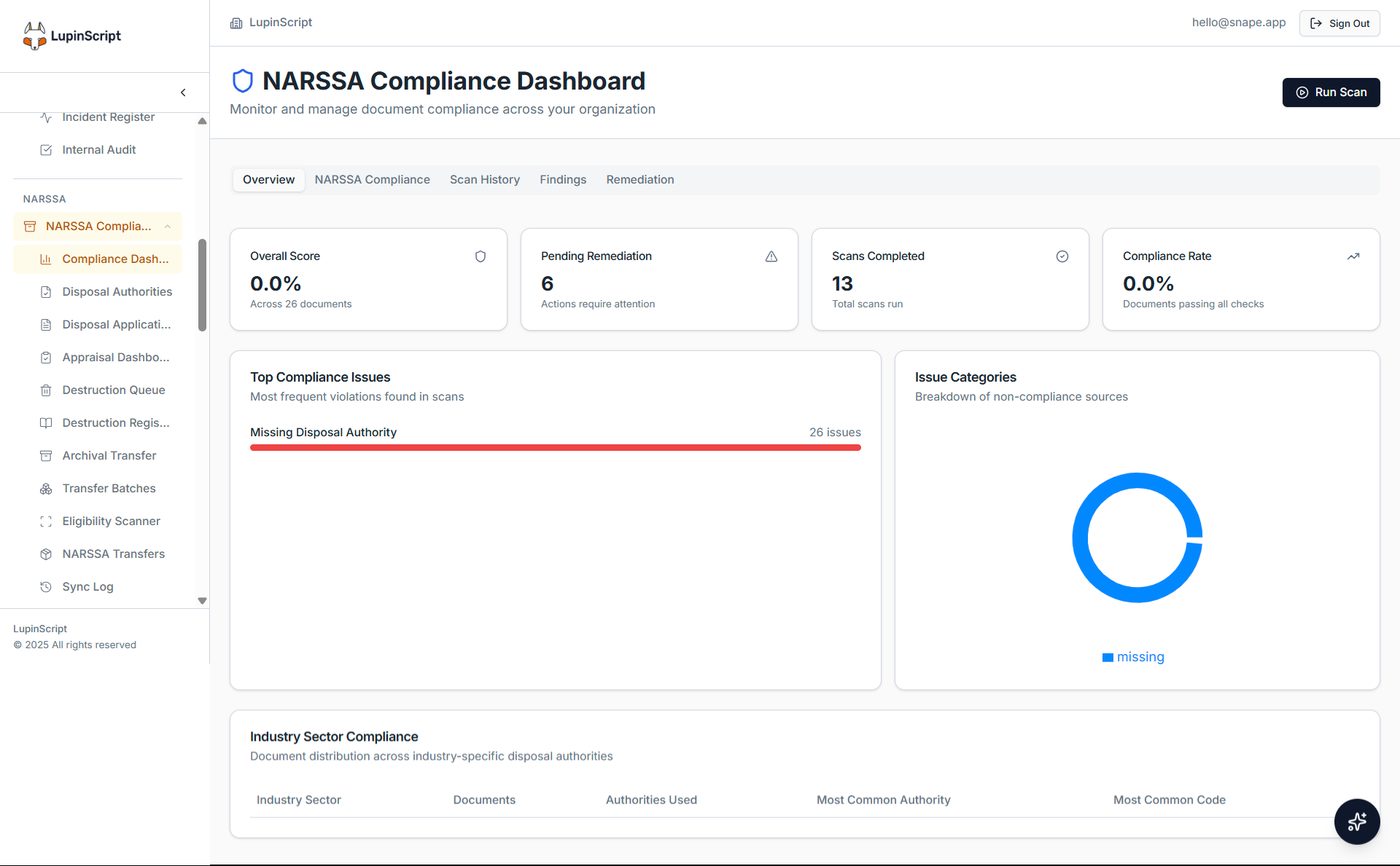
Actual LupinScript interface. Sample configuration shown for product illustration.
The operating outcome
Give teams one governed place to find the right document, complete approvals and retain evidence behind every decision.
Capture and OCR
Bring scanned and digital documents into structured intake processes.
Classification
Apply file plans, categories and metadata consistently.
Controlled access
Use permissions, version history and audit trails to protect information.
Search and retrieval
Find documents using metadata, content and enterprise search.
Workflow
Route documents for review, approval and accountable action.
Lifecycle governance
Connect documents to records retention and disposal controls.
How the workflow fits together
A clear path from intake to accountable outcome.
Capture
Receive, scan or migrate information.
Organise
Classify it with approved metadata.
Use
Search, review and complete workflows.
Govern
Retain or dispose of records with authority.
Buyer questions
What organisations ask before discovery.
The answers below describe verified platform direction. Final architecture, integrations and implementation scope are confirmed against your environment.
Can LupinScript manage existing files?
Yes. A migration can bring existing folders and documents into a structured repository after discovery, mapping and quality checks.
Can it manage scanned documents?
Yes. LupinScript supports scanning, OCR, classification and structured capture. Extraction quality depends on the source document and scan quality.
Can it integrate with Microsoft 365?
Integration depends on the systems, interfaces and data available in your environment. Discovery confirms the required mappings, security controls and ownership before implementation.
Can access be restricted?
Yes. Access controls can be designed around roles, responsibilities and information sensitivity, with activity recorded in audit trails.
Related solutions
Continue shaping the operating picture.
Talk to the Lupin team
Bring us the process you need to improve.
We’ll map the people, information, systems and controls involved, then shape the right Lupin solution around them.