
LupinScript
Electronic records management
LupinScript controls physical and electronic records from capture through retention, review, archival transfer and authorised disposal.
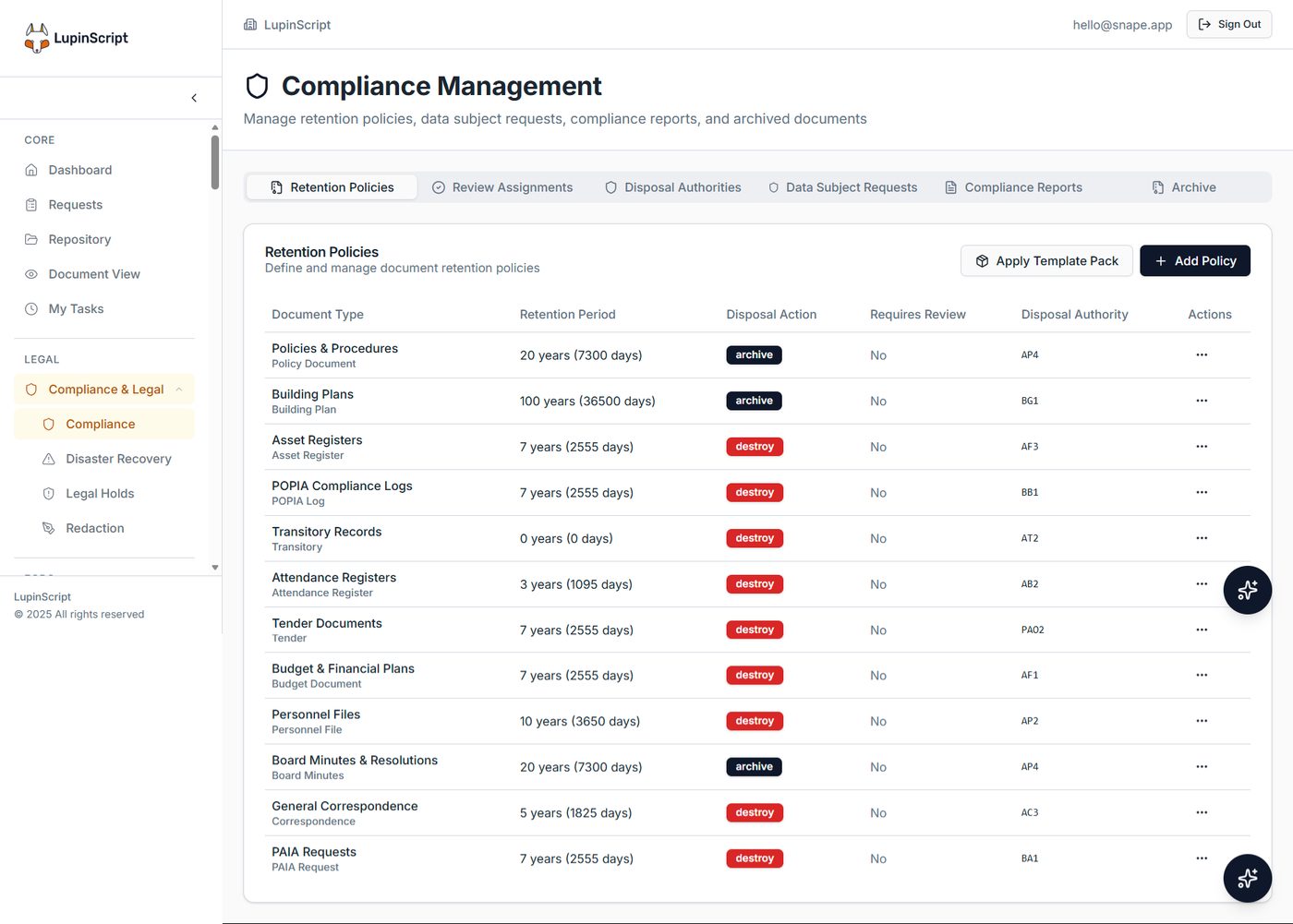
Actual LupinScript interface. Sample configuration shown. Retention periods must follow your approved authorities.
The operating outcome
Turn records governance into a visible operating process with clear ownership and evidence.
File plans
Structure records around approved business functions and activities.
Physical records
Track files, locations, transfers, requests and custody.
Retention schedules
Apply review periods and disposal actions to record categories.
Disposal authority
Route destruction or archival actions through controlled approval.
Legal holds
Pause normal disposition where a legal or investigative need applies.
Audit evidence
Maintain registers and histories for governance oversight.
How the workflow fits together
A clear path from intake to accountable outcome.
Classify
Place each record in the approved structure.
Control
Manage access, custody and active use.
Review
Assess records when retention periods mature.
Dispose or transfer
Complete authorised lifecycle action with evidence.
Buyer questions
What organisations ask before discovery.
The answers below describe verified platform direction. Final architecture, integrations and implementation scope are confirmed against your environment.
Can physical and electronic records be managed together?
Yes. LupinScript supports both, allowing physical custody processes and electronic content governance to operate in one records environment.
Who determines retention periods?
The organisation's approved file plan, retention schedule and applicable authorities guide configuration. Sample values shown in product screens are not legal guidance.
Can disposal be approved before destruction?
Yes. Disposal actions can be routed through review and authorisation, with the resulting evidence retained in the system.
Does it support archival transfers?
LupinScript includes appraisal, transfer and archival lifecycle capabilities. The exact process is configured during discovery.
Related solutions
Continue shaping the operating picture.
Talk to the Lupin team
Bring us the process you need to improve.
We’ll map the people, information, systems and controls involved, then shape the right Lupin solution around them.